Install OpenSmash-Ultimate on PC
Complete setup instructions for Windows 10/11, Linux / SteamOS, and Apple silicon macOS, including folder rules, the mandatory 13.0.5 build-ID check, save transfers, and Mii imports.
- ~60 GB free space (Win)
- 13.0.5 mandatory check
- Resumable C build
- Win · Linux · macOS
Before you start: folder rules & the 13.0.5 check
OpenSmash-Ultimate compiles a native executable on your own computer from your own legally dumped copy of Super Smash Bros. Ultimate. Before launching the installer, verify these four inputs:
| Input | Requirement & Technical Check |
|---|---|
| Install folder | Choose a short local path with ~60 GB free on Windows (~30 GB on Linux, ~40 GB on macOS), such as C:\OpenSmash or D:\OpenSmash. Keep it out of Desktop, Documents, Downloads, OneDrive, and iCloud Drive. |
| Game copy (13.0.5) | Your legally dumped copy of Super Smash Bros. Ultimate together with its 13.0.5 update (main build ID 21450C647B8C5940ED5B68218EA128FD3C5D597D, title version 0x1F0000, data.arc 0xD0005), plus any owned DLC packages. |
| Console keys | Your own Switch cryptographic keys folder dumped from your console so the setup tool can read your game and update archives locally. |
| Console firmware (optional on Windows) | Provides the console’s native CJK (Chinese, Japanese, Korean) font archives. Required by the Linux and macOS build scripts; optional on Windows when open-source fallback fonts are used. |
Why version 13.0.5 is mandatory: tools/game_version.py verifies three signatures during setup and launch: main’s build ID (21450C647B8C5940ED5B68218EA128FD3C5D597D), the update’s title version (0x1F0000, v31), and data.arc’s version field (0xD0005). If your folder contains 1.0.0 alone or an older update such as 11.0.0, the setup line turns red and waits until you place the 13.0.5 update beside the base game and click Check files.
Method 1: Windows 10 & 11 setup via OpenSmash-Setup.exe (Recommended)
- Download & verify: Grab
OpenSmash-Setup.exe(72.4 MB) fromv0.3.0-alpha.3and confirm its SHA-256 on the download page. - Choose destination: Run
OpenSmash-Setup.exe. If Windows SmartScreen warns about an unrecognized publisher, choose More info → Run anyway. Pick a folder with ~60 GB free (for exampleC:\OpenSmash) and click Download and set up. It fetches the latestOpenSmash-Ultimate/OpenSmash-Ultimatetree (~20 MB), copiesOpenSmash.exeinto it, creates OpenSmash and Play SSBU shortcuts, and opens the installer view. - Point to your files: The installer automatically checks standard local Switch tool directories and displays what it found underneath Game files, Keys, and Firmware. Use Browse to adjust any path, enter your online Username, and click Check files to confirm the green 13.0.5 status.
- Configure build options: On the right panel, keep the Windows Firewall rule checked if you plan to play online, select shader preparation priority (low, medium, or high), accept Microsoft’s license terms for the ~570 MB Clang + Windows SDK download, and adjust compiler jobs (fewer jobs keep your desktop responsive on 8 GB PCs).
- Set up and build: Click Set up and build. First-time compilation takes 30 minutes to a few hours depending on CPU core count. Prevent the PC from sleeping; if interrupted, simply run
OpenSmash.exeagain and it resumes where it stopped. - Play & update: Press Play in the launcher (or use the Play SSBU shortcut). Later updates pull straight from GitHub’s
mainbranch via Settings → Update without touching your save or settings.
Method 2: Linux & Steam Deck Game Mode setup
On 64-bit Linux (glibc 2.35+: Ubuntu 22.04+, Debian 12+, Fedora 36+, Arch, Bazzite, and SteamOS), OpenSmash provides both a local web-app launcher window (opensmash-launcher.sh) and a one-command shell installer (install-windowsmash.sh):
- SteamOS / Bazzite preparation: Switch to Desktop Mode first. On a Steam Deck, open Konsole and run
sudo steamos-readonly disable(andpasswdif thedeckaccount has no password; if pacman reports an uninitialized keyring, runsudo pacman-key --init && sudo pacman-key --populate archlinux holo). - Unpack in your home folder: Download the repository ZIP from OpenSmash-Ultimate/OpenSmash-Ultimate into
~/WindowSmash(need ~30 GB free space) and runbash opensmash-launcher.sh(orbash install-windowsmash.sh). - Automated toolchain & DXVK fetch: The script installs
clang,lld,bison,flex,SDL2,libopus,libvpx, Vulkan loader, andzenity, createsdeps/venv, and downloads DXVK 3.1.1 and vkd3d 2.1 (each verified against its SHA-256) before compilingbuild-linux/ssbu. - Add to Steam Game Mode: In Desktop Mode Steam, choose Games → Add a Non-Steam Game to My Library, tick OpenSmash Launcher, and switch back to Game Mode. The launcher supports full gamepad controls (D-pad/Left Stick to move, A select, B back, LB/RB switch tabs, Start Play).
- Optional 65,000-shader DXVK warm pass: Run
bash launchers/prepare-shaders.shin Desktop Mode to compile shaders and runbuild-linux/ssbu --warm-shaders dump/shadercacheso DXVK and Mesa RADV build Vulkan pipelines ahead of matches.
Method 3: Apple silicon macOS 14.5+ setup
- Unpack outside iCloud folders: Extract the repository into
~/WindowSmash(avoidDesktop,Documents, andDownloadsso iCloud Drive does not sync ~30 GB of build artifacts; ~40 GB free required on an APFS volume). - Approve Gatekeeper once: Double-click
Install WindowSmash.command. When macOS blocks the unsigned script, open System Settings → Privacy & Security, click Open Anyway, and confirm with Touch ID or password (or runbash ~/WindowSmash/"Install WindowSmash.command"directly in Terminal). - Build WindowSmash.app: The script verifies Apple silicon (M1 or newer; Intel Macs are unsupported), prompts macOS for Command Line Tools 16+ (macOS 15+ SDK required for Metal features), sets up an isolated arm64 Python +
SDL3.framework, and compilesbuild-mac/WindowSmash.appplus~/Applications/Play SSBU.app. - Exclude build cache from Time Machine: Inside
~/WindowSmash, runtmutil addexclusion build build-mac depsso Time Machine backs upsave/without copying 30 GB of regenerable object files.
Moving large data folders, importing saves & adding Miis
- Relocate
dump/andbuild/to another drive: Close the game and launcher, then runpython tools\data_location.py --move D:\OpenSmash. It moves the heavy directories and leaves directory links in place. - Import existing Switch saves: Close the game first. Unified/WindowSmash builds store saves in
save\; standalonessbu-recompbuilds usebuild\saves\save\save_data\system_data.bin. Back up the existing folder before copying your own save directory in. - Import custom Miis: Double-click
launchers\Import Miis.bat(orlaunchers/Import Miis.commandon macOS) to import existing local Mii databases, drop.charinfo/.nfsd/.nfcdfiles, or paste Mii Studio image URLs (up to 100 Miis stored inmiis\).
Installed directory layout reference
| Path | Purpose |
|---|---|
save/ | Atomic console-style save directory (back up while the game is closed). |
config/display.ini | Window mode, resolution render_scale, VRR pacing, renderer (auto / direct3d11 / vulkan), and low_latency. |
config/controllers.ini | Per-device button layout, GameCube style, deadzones, rumble, and keyboard binds. |
mods/ & mods/mods.json | Installed GameBanana skins, stages, ARCropolis files, and Skyline plugin.nro modules. |
miis/ & album/ | Imported .charinfo Mii files (up to 100) and Vault battle snapshots (.bmp). |
dump/shadercache/ | Compiled DXBC, SPIR-V, or Metal shader caches and Vulkan pipeline state files. |
install.log & build/play.log | Installer build transcript and runtime session diagnostics. |
reports/ | Crash (crash_*.txt), 5-second watchdog freeze (freeze_*.txt), and rollback logs. |
Smash PC controllers & adapters
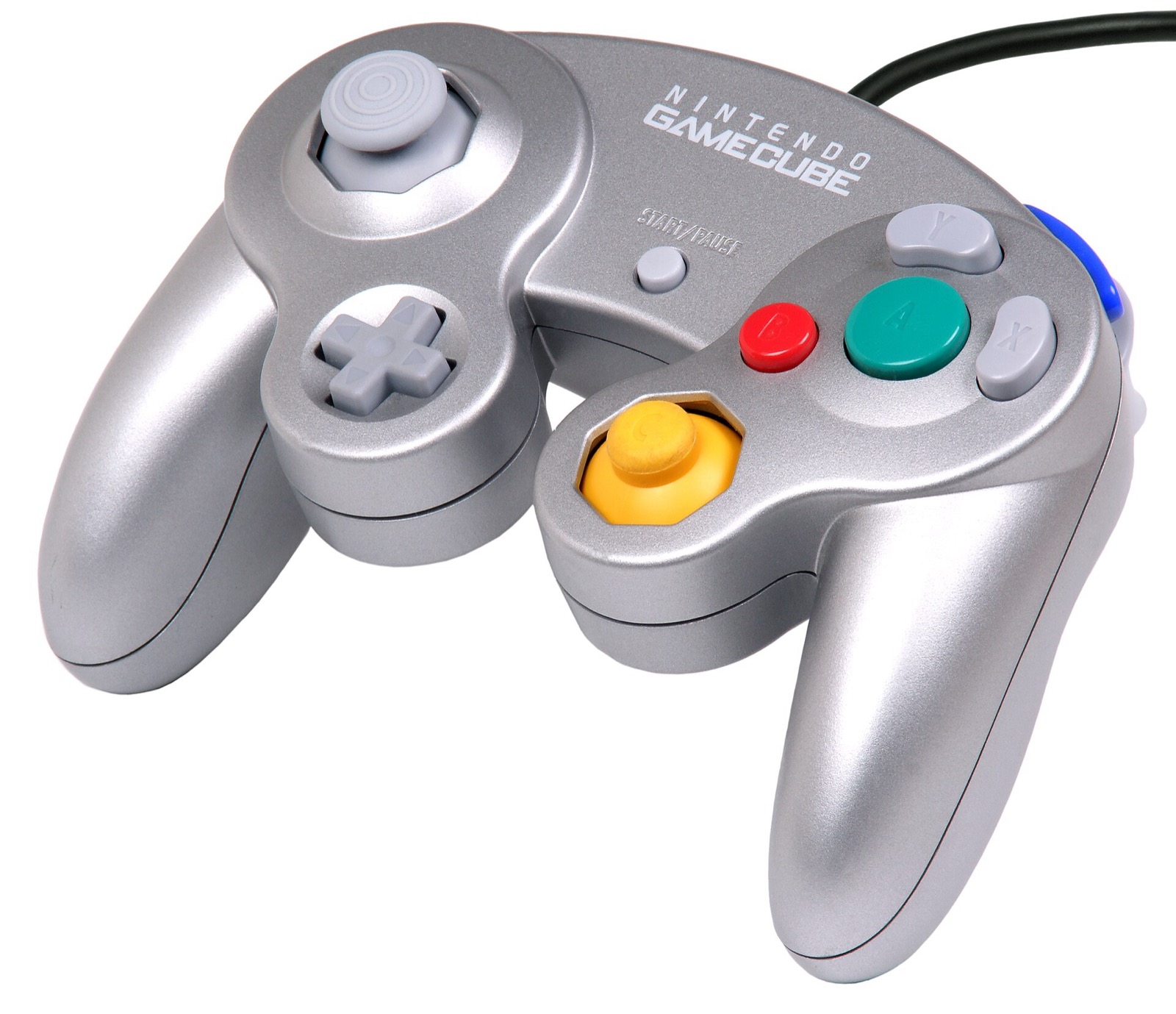
OpenSmash-Ultimate and WindowSmash support up to 8 concurrent players via SDL3, XInput, and native Wii U / Switch GameCube USB adapter polling (both Windows HID and Zadig WinUSB drivers, with analog L/R triggers and rumble):
| Hardware | Best For in OpenSmash-Ultimate | Input Path & Latency Notes | Link |
|---|---|---|---|
| Mayflash 4-Port GameCube Controller USB Adapter | 4-port GameCube controller play | Switch to Wii U mode for native 4-port GameCube input + rumble (second grey USB plug) | View on Amazon |
| Nintendo Switch Pro Controller | Native positional ABXY layout | Matches Switch button positions out of the box via SDL3 (`[device switchpro]`) | View on Amazon |
| GameSir Cyclone 2 | Low-latency 1000 Hz wireless Smash | Zero-drift TMR sticks, microswitch face buttons, XInput & Switch SDL3 modes | View on Amazon |
| 8BitDo Ultimate 2 Wireless | Desktop & SteamOS handheld dock | TMR sticks, charging dock, 2.4 GHz dongle + Switch / XInput mode switch | View on Amazon |
| Sony DualSense | PlayStation pad (`[device ps5]`) | Full SDL3 support with configurable per-device rumble and deadzone in `controllers.ini` | View on Amazon |
| Xbox Wireless Controller | Zero-setup Windows 10/11 XInput | Works natively for players 1–4; set `layout = labels` or `style = gamecube` if desired | View on Amazon |
As an Amazon Associate, this site earns from qualifying purchases.
Common questions
How long does the first OpenSmash-Ultimate build take?
Typically 30 minutes to 2 hours on modern 8-to-16-core AVX2 desktops with 16 GB RAM, or longer on 4-core / 8 GB laptops and handhelds. Subsequent updates recompile only changed files and finish in a few minutes.
Why must OpenSmash stay out of Desktop and Documents?
On Windows, OneDrive frequently backs up Desktop and Documents, attempting to sync ~30 GB of generated C and object files while Clang is still writing them, causing file locks and path-length failures. On macOS, iCloud Drive and TCC folder prompts cause the same problem.
Can I build on a PC with only 4 GB or 8 GB of RAM?
Yes. Pull request #114 (shipped in v0.3.0-alpha.1) lowered peak compiler memory and added automatic job throttling (--jobs 4 under 16 GB RAM) plus a compile-ladder fallback for heavy translation units.