Troubleshooting & Known Issue Fixes
Root-cause fixes for Intel Iris Xe Vulkan rendering, antivirus DLL quarantine, 13.0.5 version checks, shader hitches, Quickplay error 2306, and F1–F6 diagnostics.
- Iris Xe -> D3D11 fix
- Error 2306 -> port 39421
- 10 GB shader cache tip
- 5s freeze watchdog
Common OpenSmash-Ultimate errors & verified fixes
Before changing settings at random, inspect the end of install.log (for setup failures) or build\play.log and reports\ (for runtime crashes, freezes, or online errors). Match what you see against the upstream diagnostics below:
| Symptom / Log Message | Root Cause | Verified Fix |
|---|---|---|
Black UI backgrounds or broken stage geometry on Intel Iris Xe (Issues #333, #346, #327) | Intel Iris Xe Windows Vulkan driver bug with dynamic rendering / pipeline states. | Open Esc → Display → Renderer and select direct3d11 (or add renderer = direct3d11 to config\display.ini and restart). |
ssbu_game_eh_o1.dll is missing on launch (standalone ssbu-recomp) | Windows Defender quarantined the unsigned ~500 MB locally compiled game DLL, or linking stopped early. | Open Windows Security → Virus & threat protection → Protection history, restore/allow the file, exclude your install folder, and run Install SSBU.bat → Resume (relinks in minutes). |
WindowSmash needs version 13.0.5 (red setup line or exit code 4) | Base 1.0.0 dump has no 13.0.5 update beside it, or folder was previously built from 11.0.0 / 13.0.4. | Place your 13.0.5 update package in the same game folder and click Check files (or re-run OpenSmash.exe). Your save/, config/, and shadercache/ stay intact. |
| First-time effect hitches or slow startup on NVIDIA GPUs | Uncached shaders compiling mid-match, or NVIDIA’s 4 GiB D3D/Vulkan driver cache evicting entries once 94–97% full. | Run python tools\shader_aot.py (or bash launchers/prepare-shaders.sh on Linux) AND set NVIDIA Control Panel → Manage 3D settings → Shader Cache Size to 10 GB or Unlimited. |
[clock] ... slow near top of build\play.log | Third-party "gaming tweak" forced Windows onto the slow legacy HPET timer (useplatformclock). | Open Administrator Command Prompt, run bcdedit /deletevalue useplatformclock, and reboot Windows. |
Online Quickplay error starting with 2306 | online_server.txt points to an old relay-only port (39420) without the NEX Quickplay server, or TCP is blocked. | Set online_server.txt to auto (or smash.recomps.wtf:39421) and allow ssbu.exe through Windows Firewall. |
relayed (your router changes ports) on F1 overlay | Router uses symmetric NAT without port mapping, forcing packets through the European/NA relay. | Enable UPnP or NAT-PMP in your router settings so OpenSmash (#139) can map a direct UDP path. |
| Two PCs appear as one online player | Install folder was copied to a second PC along with netplay_id.txt. | Close the game on the second PC and delete or rename netplay_id.txt so it generates a fresh identity while keeping its save. |
could not finish applying a save in play.log | File lock, wrong user ownership (e.g. after running with sudo), or symlinked inner save subfolder. | Close the game, restore user ownership on save/ (leave .work.* / .journal.* / .commit untouched), and relaunch so atomic journal recovery completes. |
Built-in diagnostic hotkeys (F1 through F6)
Both Windows, Linux, and macOS builds include real-time diagnostic keys you can trigger during menus or matches (on Linux, launching with SSBU_HITCH=40 ./run.sh also logs every frame exceeding 40 ms):
| Hotkey | Diagnostic Output |
|---|---|
| F1 (⌘+1 on Mac) | Toggles compact corner overlay showing FPS, online lobby status, player count, and peer ping / direct vs relayed state. |
| F2 (⌘+2 on Mac) | Expands detailed telemetry: connected gamepads, player slot assignments, renderer frame times, and hosted room address. |
| F3 (⌘+3 on Mac) | Captures a full-resolution screenshot into screenshots/ at the internal render_scale size. |
| F4 (⌘+4 on Mac) | Dumps one complete frame’s GPU drawing commands into build/play.log for graphics debugging. |
| F5 (⌘+5 on Mac) | Toggles depth-buffer sampling on or off to isolate stage lighting and depth-map shader artifacts. |
| F6 (⌘+6 on Mac) | Records a 10-second CPU/thread execution profile into build/profile_*.txt (resolved via ssbu.syms). |
Linux, SteamOS & macOS specific fixes
- SteamOS missing C headers (
SDL.h file not found): SteamOS strips header files across OS updates. Runsudo steamos-readonly disableand re-runbash install-windowsmash.shso it restores the required headers. - Linux black window or DXVK failure: Run
vulkaninfo --summary. If no GPU device appears, installmesa-vulkan-drivers(or proprietary NVIDIA drivers). Inside VMware Linux guests lacking hardware Vulkan, DXVK falls back to CPUlavapipe([gfx] note: this is a software renderer). - Linux kernel 6.7+ write-tracking test: If you suspect memory write-watch glitches on bleeding-edge kernels, test with
SSBU_WRITE_WATCH=protectto force page-protection tracking instead ofuserfaultfd+PAGEMAP_SCAN. - macOS "Install WindowSmash.command" Not Opened or macOS 15 SDK error: Approve the script under System Settings → Privacy & Security → Open Anyway, ensure Command Line Tools for Xcode 16+ are installed (requires macOS 14.5+ Sonoma or macOS 15 Sequoia), and if compilation stalls on an 8 GB Mac, run
./"Install WindowSmash.command" --jobs 4.
How to file a clean upstream bug report
When opening a ticket on OpenSmash-Ultimate/OpenSmash-Ultimate/issues, include your OS, GPU model + driver version, what you did, the tail of build/play.log, and any plain-text reports/crash_*.txt, reports/freeze_*.txt (written automatically after 5 s, 30 s, and 120 s of frozen frames), or reports/rollback_*.txt. Scrub personal folder paths and IP addresses first, never attach .dmp memory dumps publicly, and never post game files or keys.
Smash PC controllers & adapters
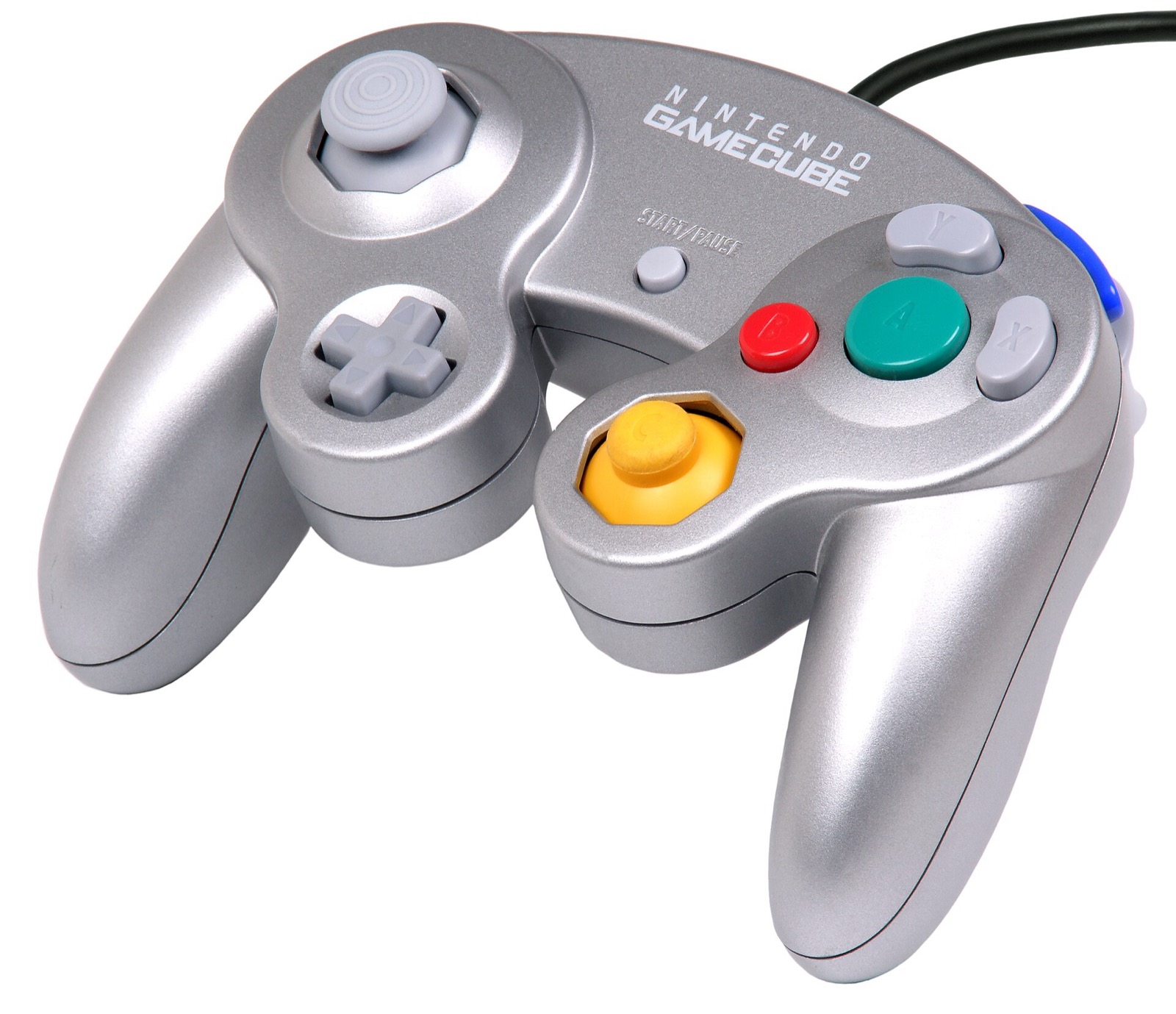
OpenSmash-Ultimate and WindowSmash support up to 8 concurrent players via SDL3, XInput, and native Wii U / Switch GameCube USB adapter polling (both Windows HID and Zadig WinUSB drivers, with analog L/R triggers and rumble):
| Hardware | Best For in OpenSmash-Ultimate | Input Path & Latency Notes | Link |
|---|---|---|---|
| Mayflash 4-Port GameCube Controller USB Adapter | 4-port GameCube controller play | Switch to Wii U mode for native 4-port GameCube input + rumble (second grey USB plug) | View on Amazon |
| Nintendo Switch Pro Controller | Native positional ABXY layout | Matches Switch button positions out of the box via SDL3 (`[device switchpro]`) | View on Amazon |
| GameSir Cyclone 2 | Low-latency 1000 Hz wireless Smash | Zero-drift TMR sticks, microswitch face buttons, XInput & Switch SDL3 modes | View on Amazon |
| 8BitDo Ultimate 2 Wireless | Desktop & SteamOS handheld dock | TMR sticks, charging dock, 2.4 GHz dongle + Switch / XInput mode switch | View on Amazon |
| Sony DualSense | PlayStation pad (`[device ps5]`) | Full SDL3 support with configurable per-device rumble and deadzone in `controllers.ini` | View on Amazon |
| Xbox Wireless Controller | Zero-setup Windows 10/11 XInput | Works natively for players 1–4; set `layout = labels` or `style = gamecube` if desired | View on Amazon |
As an Amazon Associate, this site earns from qualifying purchases.
Common questions
Why is the match-ending KO zoom blue instead of red?
That color swap on the final-stock KO zoom is a known shader/channel quirk documented in the v0.3.0-alpha.1 and v0.3.0-alpha.2 release notes and does not indicate corrupted game files.
Why was runahead disabled in display.ini?
Upstream disabled the runahead config key by default after Issue #250 showed hitches at GO! and mid-fight on mid-range CPUs. Instead, low_latency = 1 is enabled by default for frame-late input polling without re-simulation overhead (developers can still test via SSBU_RUNAHEAD=1).
Where are crash and freeze reports stored?
Inside the reports/ folder of your OpenSmash directory (and ~/Library/Logs/DiagnosticReports/ssbu-*.ips on macOS).