WindowSmash PC Recompilation Guide
How WindowSmash (464 stars) became the root runtime of OpenSmash-Ultimate, plus complete setup instructions for Install WindowSmash.bat, Linux, Steam Deck, and macOS.
- 464 GitHub stars
- Merged into OpenSmash-Ultimate
- Windows · Linux · macOS
- GPL-3.0
What is WindowSmash and how did it merge into OpenSmash-Ultimate?
WindowSmash (OpenSmash-Ultimate/WindowSmash, created October 18, 2026, 464 GitHub stars, 37 forks, GPL-3.0) was built by SNO2207 to statically recompile Super Smash Bros. Ultimate version 13.0.5 into a standalone Windows x64 executable (ssbu.exe) backed by Direct3D 11, SDL3 8-player controller input, libopus/libvpx audio-video decoding, and an internet-wide Local Wireless relay.
On October 21, 2026, WindowSmash and Denkishi’s ssbu-recomp merged into one active organization and flagship repository: OpenSmash-Ultimate/OpenSmash-Ultimate. In the unified codebase, WindowSmash’s 13.0.5 runtime serves as the root runtime, paired with the graphical OpenSmash.exe / OpenSmash-Setup.exe launcher while keeping every classic Install WindowSmash.bat, Linux install-windowsmash.sh, and macOS Install WindowSmash.command workflow intact.
Repository status: OpenSmash-Ultimate/WindowSmash (v0.2.0-alpha.1 and v0.1.0-alpha.1) is preserved as a read-only historical archive. All new releases (currently v0.3.0-alpha.3), pull requests, rollback updates, and bug fixes land in OpenSmash-Ultimate/OpenSmash-Ultimate.
WindowSmash vs OpenSmash-Setup.exe vs ssbu-recomp
Because players still encounter guides referencing WindowSmash, Install WindowSmash.bat, and OpenSmash-Setup.exe, this table maps how each entry point fits together today:
| Dimension | OpenSmash-Setup.exe (Unified) | WindowSmash Scripts (Root Tree) | ssbu-recomp (Standalone Archive) |
|---|---|---|---|
| Primary entry point | OpenSmash-Setup.exe / OpenSmash.exe (v0.3.0-alpha.3) | Install WindowSmash.bat (Windows), install-windowsmash.sh (Linux), Install WindowSmash.command (macOS) | Install SSBU.bat (fetches ssbu-runtime-*.zip) |
| Repository | OpenSmash-Ultimate/OpenSmash-Ultimate (162 stars) | OpenSmash-Ultimate/WindowSmash (464 stars, merged into root) | OpenSmash-Ultimate/ssbu-recomp (609 stars, preserved in ssbu-recomp/) |
| Supported game build | 13.0.5 only (build ID 21450C64…) | 13.0.5 only (all DLC up to Kazuya & Sora) | 13.0.4 and 13.0.5 |
| Graphics renderer | Direct3D 11 & Vulkan (Windows), DXVK (Linux), Metal (macOS) | Direct3D 11 + Vulkan (Windows), DXVK 3.1.1 (Linux), Metal (macOS) | NVN-to-Vulkan (with OpenGL fallback) |
| Compiler step | Downloads Clang + MSVC CRT/SDK (~570 MB) or VS Build Tools locally | Downloads Clang + MSVC CRT/SDK (~570 MB) into deps/ locally | Downloads portable LLVM 9.0.0 (69.0 MB) + prebuilt runtime |
| Multiplayer & netcode | Public/private lobbies, Quickplay, Battle Arenas, SSBU_RB rollback on by default | Originated Local Wireless relay, NEX Quickplay server & direct UDP hole punching | Local Wireless relay & 7-frame rollback snapshot ring research |
8-step Install WindowSmash.bat setup walkthrough
Whether you prefer the classic script-driven Install WindowSmash.bat inside a source checkout or the one-file OpenSmash-Setup.exe bootstrapper, the underlying 8-stage pipeline performs the exact same verification and compilation steps on your PC:
| Stage | Active Time | What Happens on Your Machine |
|---|---|---|
| 1. Check your PC | 2 min | Confirm 64-bit Windows 10/11, AVX2 (or SSE4.2 fallback), DirectX 11 / Vulkan GPU, 16 GB RAM recommended, and ~60 GB free disk space. |
| 2. Gather your 13.0.5 files | 10 min | Place your legally dumped base game, its 13.0.5 update, and any DLC in one folder, plus your console keys folder and optional firmware font folder. |
| 3. Download & extract | 5 min | Download the unified source ZIP from OpenSmash-Ultimate/OpenSmash-Ultimate (or run OpenSmash-Setup.exe) onto a drive outside Desktop and Documents so OneDrive does not upload a 30 GB build. |
| 4. Run the installer | 1 min | Double-click Install WindowSmash.bat (or OpenSmash-Setup.exe). On the unsigned publisher prompt, click More info → Run anyway. Output logs to install.log. |
| 5. Automatic tool setup | A few min | Installs only what is missing into local deps/: isolated Python 3.10+, LLVM clang-cl with ~570 MB Microsoft CRT/SDK headers (after typing yes to accept Microsoft license terms), and SDL3.dll. |
| 6. Verify folders & name | 5 min | The setup window auto-detects existing local console tool folders or lets you click Browse. Confirm the green 13.0.5 indicator, enter your online player name, and click Set up and build. |
| 7. Ahead-of-time build | 30 min – few hrs | Translates main, subsdk0, sdk and all 98 fighter NRO modules from ARM64 to C and compiles build\ssbu.exe. Interruptions resume automatically on re-run. |
| 8. Launch & play | Instant | Start via OpenSmash.exe or the Play SSBU desktop shortcut. Press Esc (or controller Home) in-game for Display, Controllers, Online, Lobby, and Mods settings. |
Unattended PowerShell CLI & developer commands
Advanced users and multi-PC tournament setups can bypass the GUI wizard using Install WindowSmash.bat flags or call tools/build_game.py directly once Python and Clang are present in deps/:
git clone https://github.com/OpenSmash-Ultimate/OpenSmash-Ultimate.git
cd OpenSmash-Ultimate
& ".\Install WindowSmash.bat" -Game "D:\MyDump" -Keys "D:\MyKeys" -Firmware "D:\MyFirmware" -NoWizard-NoWizardprompts in the console using the supplied folder arguments instead of opening a GUI dialog.-BuildToolsskips the ~570 MB portable Clang/SDK package (tools\msvc_deps.py) and installs Microsoft Visual Studio Build Tools with C++ Clang tools for Windows directly.-DryRunprints every planned extraction, compiler, and firewall action without writing files.python tools/build_game.py --game "D:\MyDump" --keys "D:\MyKeys" --firmware "D:\MyFirmware"runs the version-checked 13.0.5 extraction and C compilation directly.
WindowSmash on Linux, Steam Deck & Apple silicon macOS
WindowSmash also introduced two experimental non-Windows targets that now live in the root of OpenSmash-Ultimate/OpenSmash-Ultimate:
- Linux x86-64 & SteamOS (
install-windowsmash.sh&opensmash-launcher.sh): Compiles a nativebuild-linux/ssbubinary (~1.2 GB) using systemclang+lld, rendering Direct3D 11 over Vulkan via DXVK 3.1.1 and compiling shaders via vkd3d-shader 2.1. Adding OpenSmash Launcher as a Non-Steam Game provides full D-pad/ABXY gamepad navigation inside Steam Deck Game Mode. - macOS 14.5+ on Apple silicon (
Install WindowSmash.command): Targets M1 or newer Macs using Apple Command Line Tools 16+ (macOS 15+ SDK), SDL3, and a dedicated native Metal renderer (build-mac/WindowSmash.app). Verified at 60 FPS through opening video, menus, and fighter/stage select on Apple silicon; full match parity remains experimental.
Helper launchers inside the launchers/ directory
Alongside OpenSmash.exe and Play SSBU.bat, WindowSmash populates a launchers/ subfolder for specialized workflows:
launchers\WindowSmash Mods.bat: Opens the standalone GameBanana mod installer and conflict checker.launchers\Host SSBU Netplay.bat&launchers\Join SSBU Netplay.bat: Host or join direct UDP39420private rooms with 10-character room codes.launchers\Join yuzu Room.bat: Connects WindowSmash’s Local Wireless mode to compatible third-party room servers (tested with Eden 0.2.0).launchers\Import Miis.bat: Converts console/editor Mii files or Mii Studio image URLs into up to 100miis\<name>.charinfoentries.launchers\Configure Game Data.bat&python tools\shader_aot.py: Re-points data paths or precompiles all ~40,000 shaders at low CPU priority.- Base-game roster save utility: A dedicated script in
launchers/edits 13.0.5 save offsets (after backing up your save and verifying main’s build ID) so every base-game fighter is selectable immediately.
Security warning: fake "Crash Fix Command" issues on WindowSmash
If you browse the archived OpenSmash-Ultimate/WindowSmash/issues tracker, watch out for automated spam tickets (such as Issues #113 through #126 titled [INSTALL] All Crashes Fix Command). Those spam posts attempt to trick players into pasting malicious commands into PowerShell or Terminal. Maintainers never distribute crash patches via copy-paste shell one-liners in issue comments. Read our OpenSmash-Ultimate safety & SHA-256 verification guide before running any executable.
Smash PC controllers & adapters
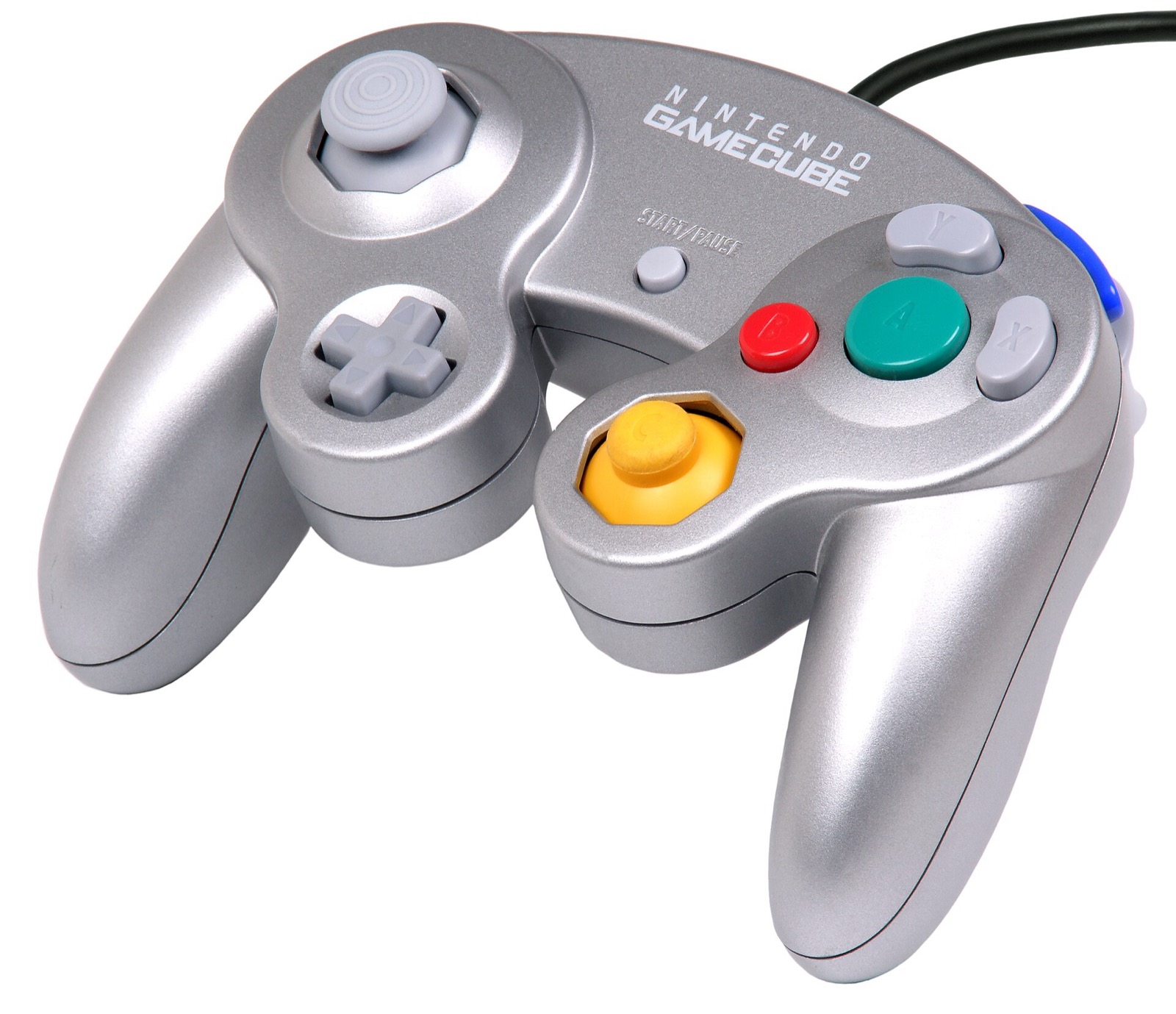
OpenSmash-Ultimate and WindowSmash support up to 8 concurrent players via SDL3, XInput, and native Wii U / Switch GameCube USB adapter polling (both Windows HID and Zadig WinUSB drivers, with analog L/R triggers and rumble):
| Hardware | Best For in OpenSmash-Ultimate | Input Path & Latency Notes | Link |
|---|---|---|---|
| Mayflash 4-Port GameCube Controller USB Adapter | 4-port GameCube controller play | Switch to Wii U mode for native 4-port GameCube input + rumble (second grey USB plug) | View on Amazon |
| Nintendo Switch Pro Controller | Native positional ABXY layout | Matches Switch button positions out of the box via SDL3 (`[device switchpro]`) | View on Amazon |
| GameSir Cyclone 2 | Low-latency 1000 Hz wireless Smash | Zero-drift TMR sticks, microswitch face buttons, XInput & Switch SDL3 modes | View on Amazon |
| 8BitDo Ultimate 2 Wireless | Desktop & SteamOS handheld dock | TMR sticks, charging dock, 2.4 GHz dongle + Switch / XInput mode switch | View on Amazon |
| Sony DualSense | PlayStation pad (`[device ps5]`) | Full SDL3 support with configurable per-device rumble and deadzone in `controllers.ini` | View on Amazon |
| Xbox Wireless Controller | Zero-setup Windows 10/11 XInput | Works natively for players 1–4; set `layout = labels` or `style = gamecube` if desired | View on Amazon |
As an Amazon Associate, this site earns from qualifying purchases.
Common questions
Where do I download WindowSmash today?
WindowSmash merged with ssbu-recomp into OpenSmash-Ultimate/OpenSmash-Ultimate on October 21, 2026. For Windows 10/11, download OpenSmash-Setup.exe (v0.3.0-alpha.3, 72.4 MB) from GitHub Releases, or clone OpenSmash-Ultimate/OpenSmash-Ultimate if you want to run Install WindowSmash.bat, install-windowsmash.sh, or Install WindowSmash.command.
Why does WindowSmash refuse any game version other than 13.0.5?
WindowSmash pins every runtime hook, save-offset check, DLC table, and online matchmaking room to Super Smash Bros. Ultimate version 13.0.5 (main build ID 21450C647B8C5940ED5B68218EA128FD3C5D597D, title version 0x1F0000, data.arc 0xD0005). Requiring 13.0.5 ensures every online player runs identical frame logic and every fighter up to Kazuya and Sora.
Can I update an older WindowSmash folder without recompiling from scratch?
Yes. Running OpenSmash.exe (Settings → Update) or re-running Install WindowSmash.bat pulls only changed files from GitHub and recompiles only modified modules in minutes while preserving save/, config/, and dump/shadercache/.